
Scales HD
App Store ID 418843481 · MARCELO MEJIA COBO
Not currently in Zing's Top 100
About
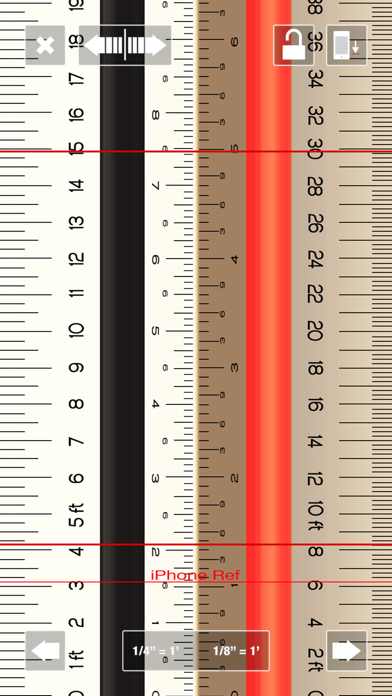
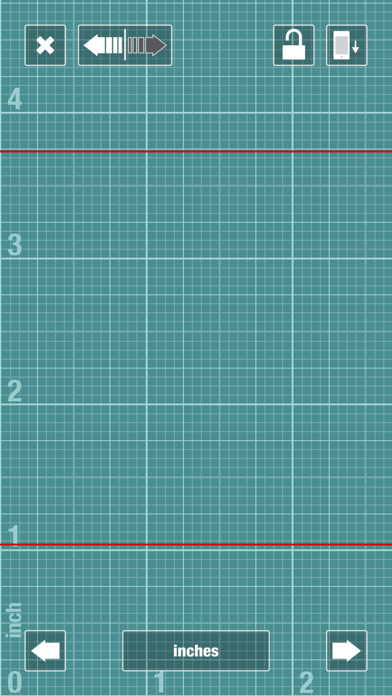
Scales HD puts a real architect's and engineer's scale rule in your pocket, drawn at true physical size on every iPhone and iPad, so a millimetre on screen is a millimetre on your drawing. Around it: a CAD, Room Scan, a PDF blueprint reader, a construction calculator, notes and more.
TRUE SIZE ON EVERY DEVICE
• Exact screen density for every iPhone, iPad and iPhone Duo model
• Zero at the screen edge or the device edge; optional calibration
TRIANGULAR SCALES, JUST LIKE THE REAL ONE
• Turn the scale to its other sides; all four edges on each, the original artwork's grooves and faces
• One tap prints the US ↔ metric equivalent beside every scale: 1:48 next to 1/4" = 1'-0"
• Two measuring lines read in both edge scales at once, with snapping
EVERY SCALE YOU USE
• US architectural 1/32" to 12" = 1'-0"; engineering 1" = 10' to 120'
• Metric 1:1 to 1:10000, civil and survey; mechanical; UK and Japanese rules
• Enlargements, maps 1:24000 to 1:250000, model rail and kits; read any edge at ×10 or ×100
• Your own scales, any ratio, in your own color
CAD
• Walls, doors, windows, furniture and dimensions at real size; freehand too
• Booleans, trim, extend, fillet, offset, arrays, layers, edit in place
• About 700 templates: full project sets, homes, interiors, ADA, landscape, sections, details, MEP
• Export true-scale PDF or SVG, PNG, DXF and DWG; open DWG and DXF drawings
ROOM SCAN (LiDAR iPhone and iPad)
• Scan rooms into floor plans, elevations, a room schedule and 3D models
• Stitch rooms, set a measured length, export USDZ, OBJ, glTF, IFC and DXF, or open as a CAD drawing
BLUEPRINTS
• PDF drawing sets as sheets you can search and bookmark
• Set the sheet's scale and measure lengths, areas and counts; mark up with clouds, callouts and stamps
• Compare revisions; stand a plan in the room at 1:1 in AR
CONSTRUCTION CALCULATOR
• Feet-inch-fraction and metric, mixed freely: 5'-3 1/2" + 80 cm
• Areas, volumes, diagonal, pitch, stairs, circles; a tape of your calculations
NOTES THAT SKETCH
• Lists, checklists and a full row of symbols, fractions and units over the keyboard
• Drop in pictures, PDF pages and CAD drawings, then move and size them; text flows around
• Quick sketch stickies: draw with a finger or Apple Pencil in any color and pen
VOICE
• A microphone on every screen: "use 1 to 50", "3 feet 4 inches plus 2 feet", "place a queen bed against the north wall". Understood on the device
MORE TOOLS
• Unit converter: 11 families, 94 units
• Scale converter: drawing ↔ real size, redraw at another scale, find a drawing's scale
• Protractor: read an angle on paper at true size, between two surfaces by tilt, or on the iPhone Duo's hinge, with the supplement, the miter and the saw setting
• Spirit level with the original bubble, compass, tape, cutting board, haptics
MADE FOR iPHONE DUO
• Closed, every tool fits the outer screen around the camera; open, the big screen; half open, the calculator, level, compass, protractor and blueprints keep off the fold; the hinge itself is a protractor
iPhone and iPad, iCloud sync between your devices. No ads, no tracking, no account, no subscription.
Screenshots


This app isn't currently charting in Zing's tracked Top 100 — showing a live snapshot from the App Store instead. Browse current charts →